

The Cues Monitor board, on an iPad or iPhone.
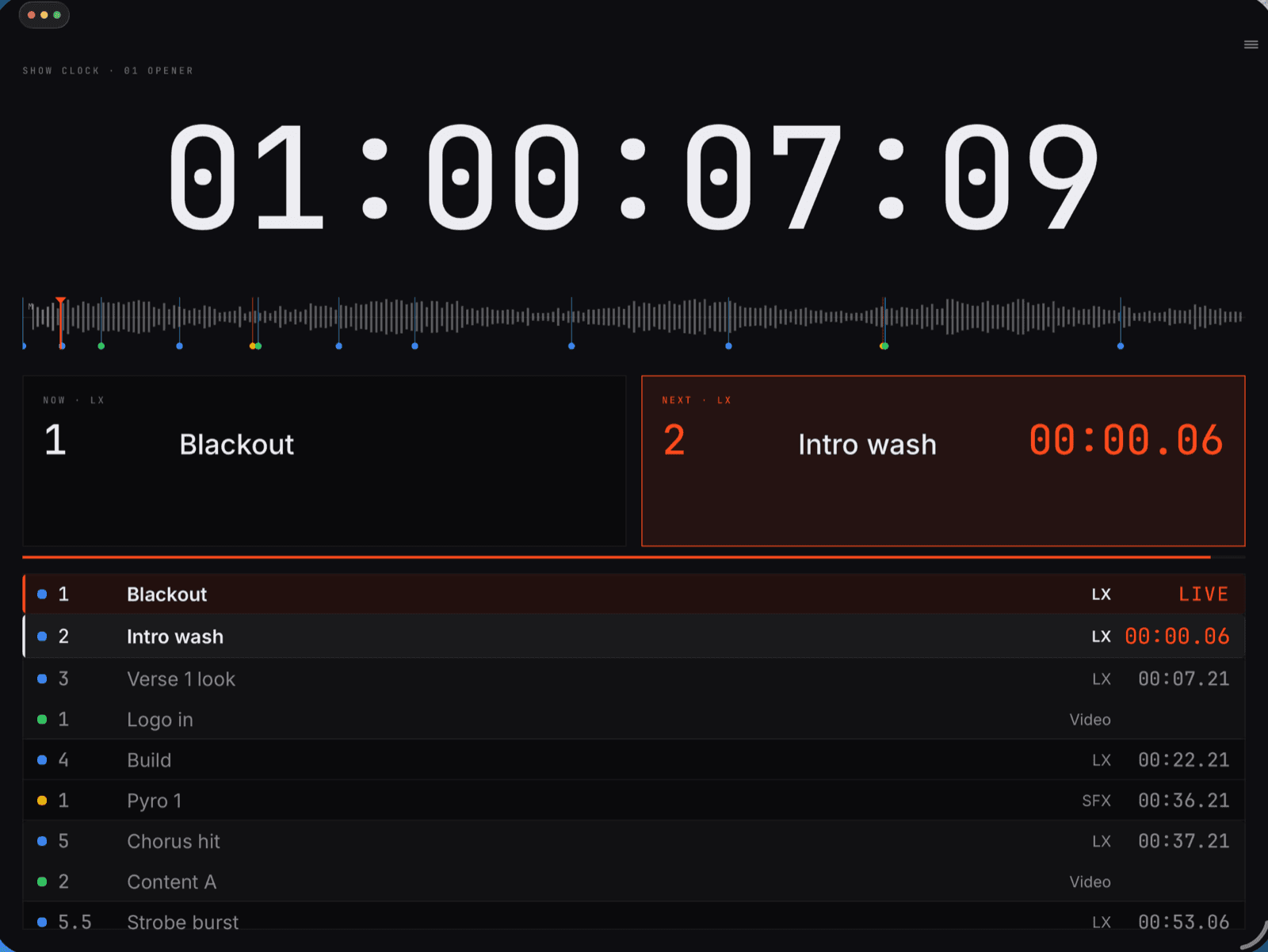
Helm Monitor joins a Helm Cues session on the venue network and draws the board: the show clock, NOW and NEXT, and the cue list held at LIVE. It plays no audio and sends nothing back.
Joining
Joins the way the host says.
The device must be on the same network as the Cues host. No licence key on the device: the host’s join policy, passcode and approval decide.
- 01
Find the session.
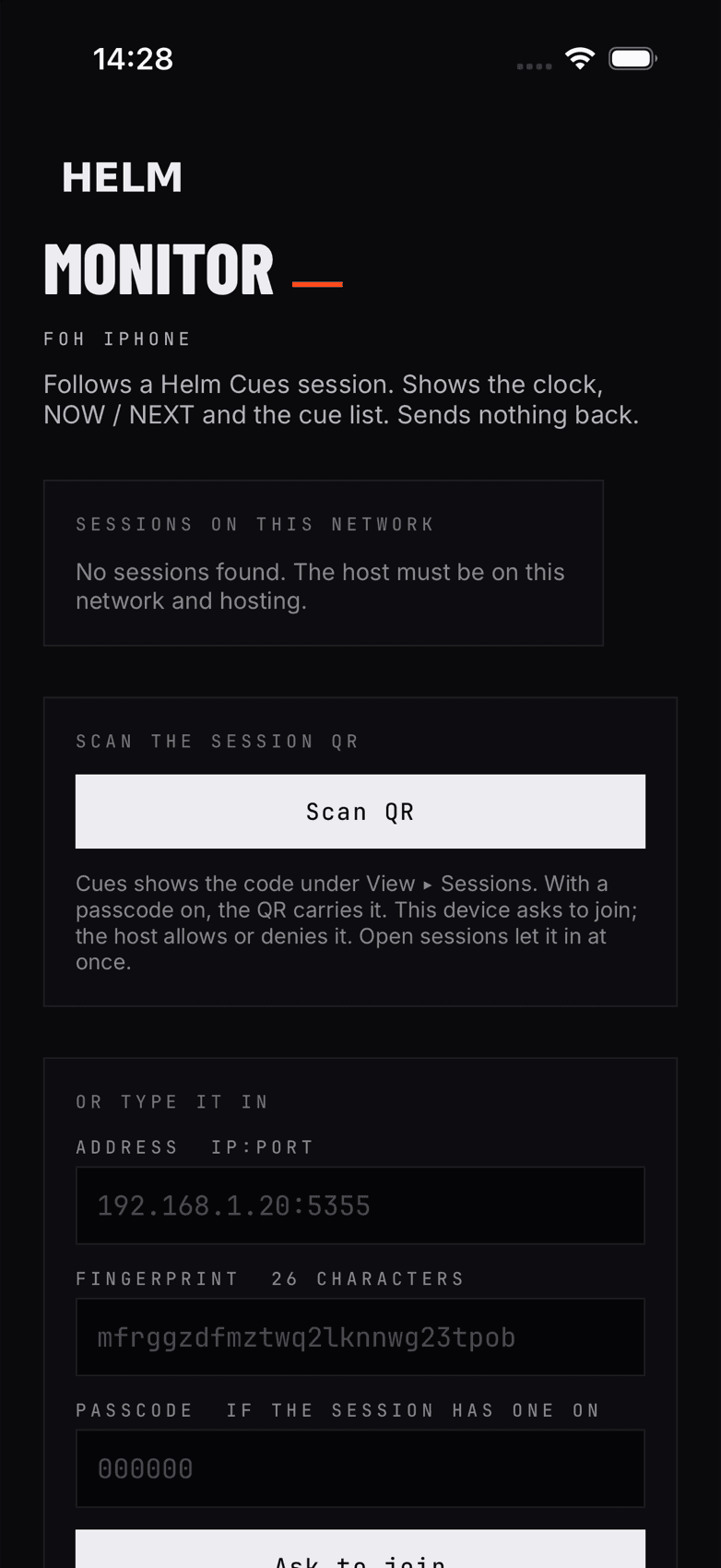
Sessions hosting on the venue network list themselves on the Join screen, with the address and the join policy.
- 02
Or scan it.
Scan the QR that Cues shows under View ▸ Sessions. With a passcode on, the QR carries it. Or type the address, fingerprint and passcode.
- 03
The host decides.
Ask: Cues shows “wants to join” with Allow and Deny. Open: the device joins at once. A device the host let in rejoins with one tap.
The board
One board, sized to the screen.
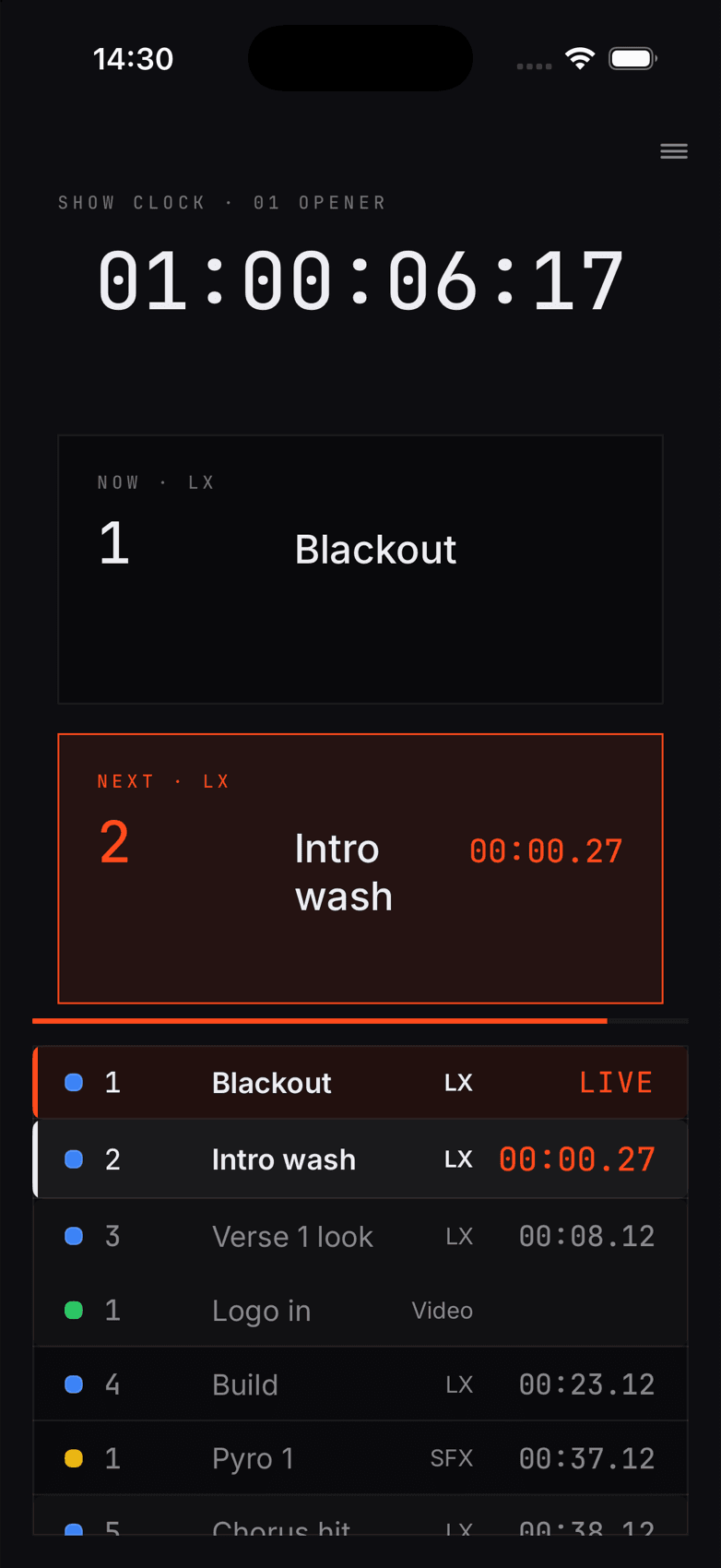
The same board as the Cues Monitor page. iPhone shows the clock, NOW and NEXT and the cue list; iPad adds the waveform strip and the bar counter.
Show clock
Timecode and the track name, sized to the screen. It turns Signal when the link drops.
NOW and NEXT
The running cue and the next, with the count-in to NEXT as time, beats or both.
Cue list at LIVE
The running cue is the first row, marked LIVE, with NEXT under it. A manual scroll returns to LIVE after 5 s.
Same-frame cues
Cues on one frame read as one group, in the list and on the NOW and NEXT cards.
Waveform strip
The track’s waveform with a tick per cue and the playhead. iPad.
Bar counter
Bars and beats from the Cues beat grid. iPad.
Layouts and limits
Pick the panes. The host picks the stacks.
Four layouts: Board, Cue list + clock, Sequence + cue list, Four up. Each pane picks its source and its stacks. The host can limit a device to chosen stacks.
- Runs on
- iPad and iPhone, iOS and iPadOS 17 or later. Portrait and landscape. Dark only.
- Role
- Monitor only. No transport, no cues, nothing sent back to the host.
- Link lost
- The clock turns Signal and a LINK LOST banner says the playhead is frozen.
- Media
- No audio. Video and image lanes draw an empty slot, not the picture.
- Members only
- Sessions set to Members only refuse the app: it has no Helm Cloud sign-in yet.
- Status
- Built and tested against a Cues host. Not on TestFlight or the App Store.
The line
Helm Monitor follows Helm Cues.
- Helm CuesBetaBuilds the cues against the music. Runs them on timecode.macOS 12 or later · Apple Silicon and Intel
- Helm DJComing soonReads Pro DJ Link. Sends timecode and MIDI from the playing deck.macOS · Apple Silicon and Intel
- Helm ClockComing soonHardware LTC and MTC for the rig. In development.Hardware · prototype on Raspberry Pi